Say half your warehouse team reads Spanish first. Or your customers are split between Germany and France. Or your company has just opened an office in Montreal. Either way, the survey you were about to send in English won’t reach everyone.
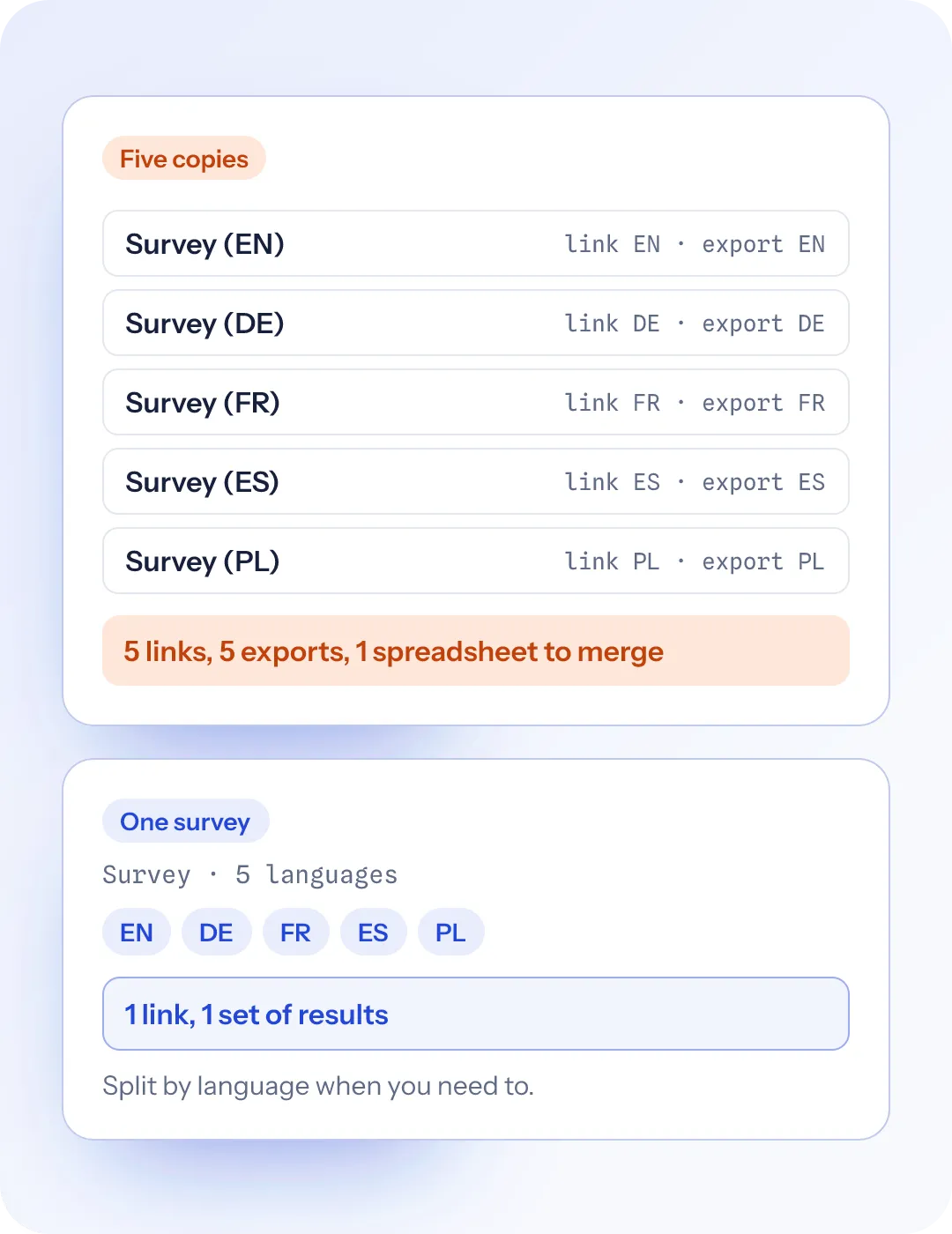
Most teams solve this the same way. They copy the survey once for each language, translate each copy, send a different link to each group and paste the results together in a spreadsheet afterwards.
It works, once. Then someone spots a typo in question 4, and you fix it five times. A colleague adds a new question to the English version and forgets the others. When the results come in, the “Strongly agree” column in the French export doesn’t line up with the German one. Your company-wide score ends up being whatever survived the copy-paste.
Here is how to do it properly, whatever tool you use.
1. Decide which languages you actually need
Start with the people, not a list of languages. Ask: who won’t answer, or won’t answer honestly, if the survey is only in English?
For an employee survey, look at where people work and what language their manager speaks to them in. A team that runs its meetings in Polish should get the survey in Polish, even if everyone “can read English”. People often give shorter, safer answers in a second language, especially to open questions.
For a customer survey, use the language you already talk to those customers in: the language of your website, your emails or your support replies.
Two or three well-done languages beat ten rushed ones.
2. Finish the original before you translate anything
This is the step people skip, and it costs the most. Every change you make to the original after translating means a change in every language.
So write the survey and test it in your main language first. Read it out loud. Cut the questions you don’t need (shorter surveys get finished). Get your logic working. Then freeze it and translate.
While you write, make the original easy to translate:
- Drop the sayings. “Are we hitting it out of the park?” won’t survive translation. “How well are we doing?” will.
- One idea per question. “How satisfied are you with your pay and benefits?” is hard to answer in any language, and harder to translate.
- Keep sentences short. A short sentence leaves the translator less room to change what you meant.
3. Translate the scale labels as carefully as the questions
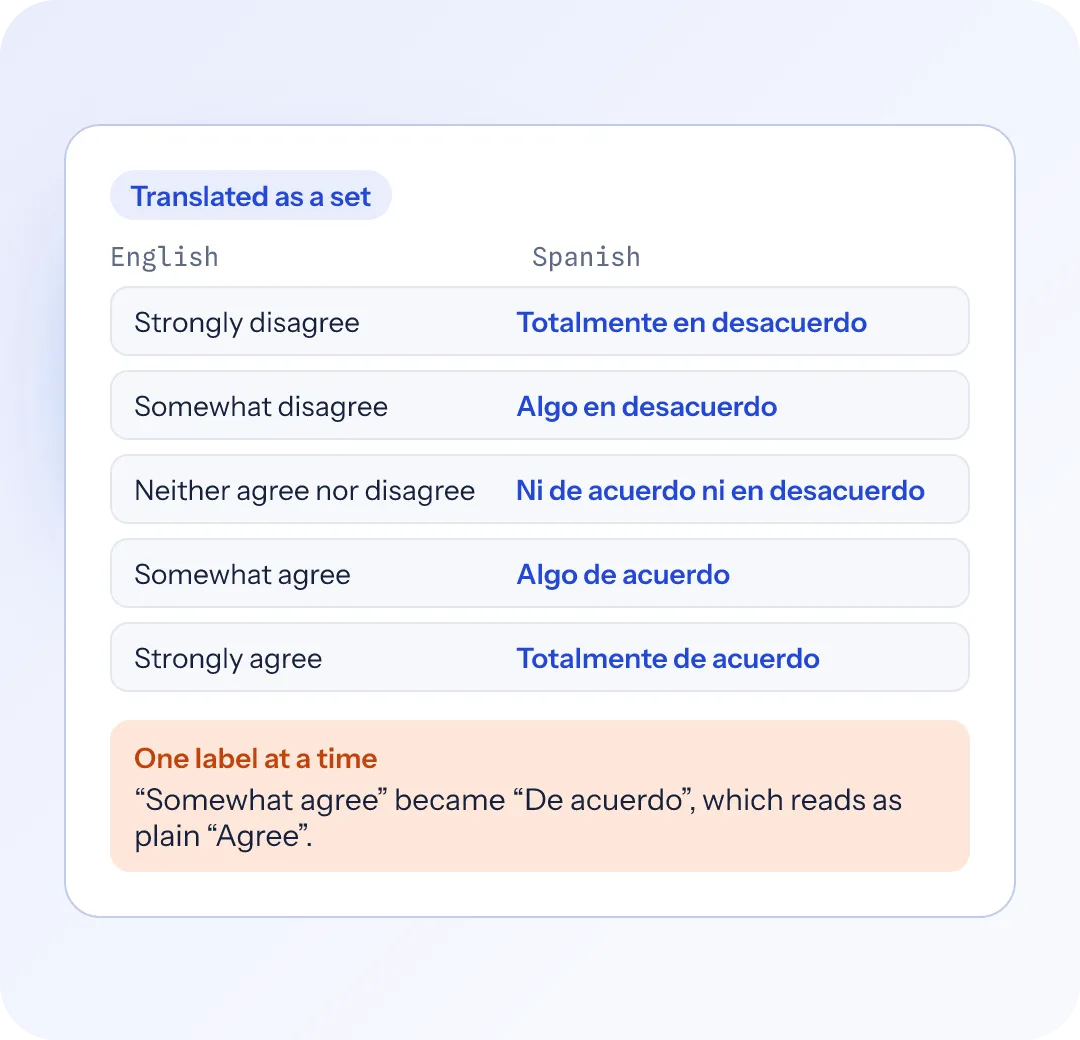
The words on a rating scale matter as much as the question. If “Somewhat agree” turns into something closer to “Agree” in one language, that group will look more positive than it really is.
Give your translator the whole scale at once, not one label at a time, so the steps stay even. For NPS, keep the standard wording (“How likely are you to recommend…”) and translate the end labels (“Not at all likely” / “Extremely likely”) as a pair.
4. Get a fluent person to read every language
You have three ways to get a translation:
- A colleague who speaks the language. Cheapest and often the best, because they know your company’s words.
- A professional translator. Worth it for a big survey or a sensitive one, like an engagement survey that goes to the whole company.
- An AI first draft. Fast and a good starting point.
Whichever you use, have someone who reads the language fluently go through the finished version as a respondent would, on a phone. Brand names, product names and job titles often stay in English. That person will know which ones.
5. Send one link, and let people pick their language
Five links means five chances to send the wrong one to the wrong team. One link is simpler. It should open in the respondent’s own language on its own, either from their browser’s language or from a language you set in the link, and they should be able to switch language at the top of the page.
Test it before it goes out. Open the survey in each language and check:
- the buttons and error messages are in that language too, not just your questions
- right-to-left languages such as Arabic and Hebrew display the right way round
- any logic still works (more on that below)
6. Watch out for logic that matches words
Most survey logic doesn’t care about language. “If they chose Unhappy, show the follow-up” works in every language, because the survey knows which answer was picked, whatever it was called.
The exception is a rule that looks for a word someone types. “If the answer contains refund” won’t fire for a respondent who writes reembolso. Either add the word in each language, or change the question to a choice.
7. Read the results together, then by language
Most of the time you want one answer, such as one NPS or one engagement score for the whole company. Get that first. Then split it by language and look for big gaps.
A gap doesn’t always mean one group is unhappier. People in different countries use rating scales differently: some groups pick the extremes more often, some stay in the middle. Compare each group with itself over time before you compare groups with each other.
Open-text answers will come back in each respondent’s language. Don’t skip them because they’re in Spanish. They’re often where the best answers are.
How SurveyRock does it
In SurveyRock, a survey can carry several languages. Most of the steps above are taken care of:
- Fix a typo once. There’s one survey, not a copy per language. Edit the original and the translations that need another look are flagged for you.
- No merging spreadsheets. Choice and rating answers combine across languages, so your NPS is one number. You can still filter by language, and exports carry a Language column.
- Translate it whichever way suits you. A colleague can type translations beside the original. A translator can work in their own tools from a file you send. Or you can start from AI drafts that someone who speaks the language reads through. Only the survey’s own text goes to the AI, never anyone’s answers.
- Nobody gets a half-translated survey. A language stays hidden until you say it’s ready. Before you publish, SurveyRock checks that every language you’re showing has all its questions translated and no draft left unaccepted.
- One link for everyone. People land in their language from the link or their browser, and can switch from a menu at the top. SurveyRock’s own buttons and messages switch too, in its 21 languages, right-to-left included.
- Logic that won’t quietly break. If a show, skip or branch rule matches typed words, SurveyRock warns you before you publish.
Multi-language surveys are on the Growth plan and up, and new accounts start with a 14-day Growth trial. See how multi-language surveys work.